
Rep Requests — How Teamflect Measures Rep Additions, Removals and Modifications

Rep Requests — How Teamflect Measures Rep Additions, Removals & Modifications
What gets measured, where the data comes from, and how these goals connect
What this lesson is really about
Rep additions, removals, and modifications are high-volume tasks — but the standard cannot drop when the workload rises. In 3 hours, your work must be done accurately, captured correctly, and closed cleanly so the client experience and audit trail stay strong.
The 3 connected goals this lesson links together
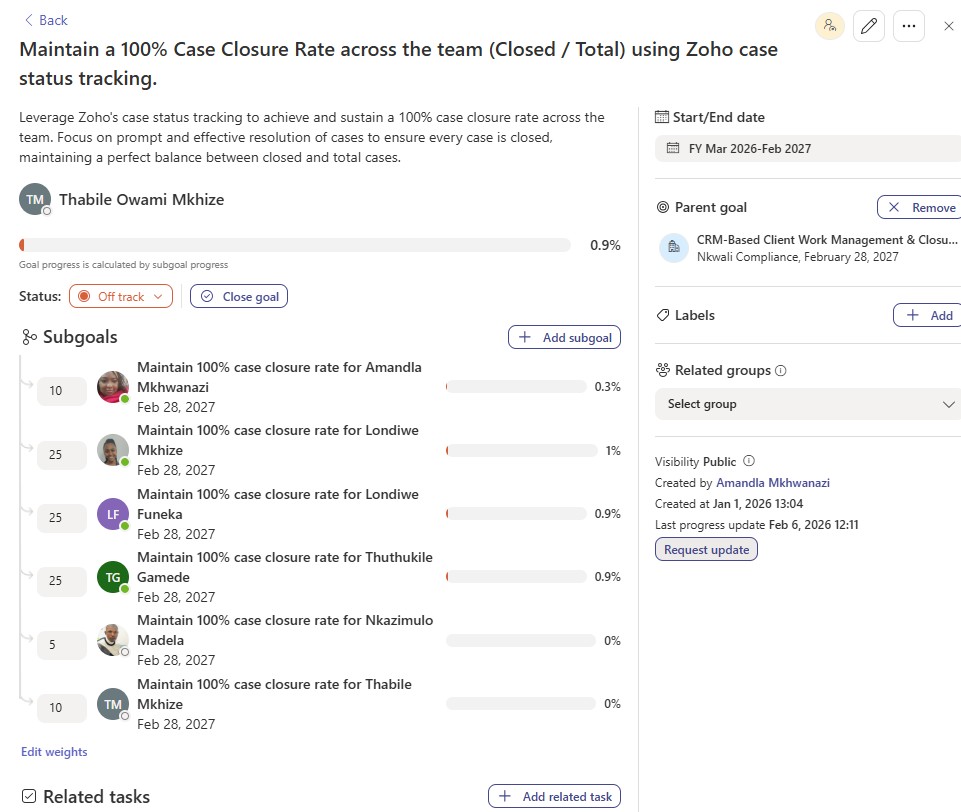
- Goal A: Maintain a 100% Case Closure Rate (Closed / Total) using Zoho case status tracking
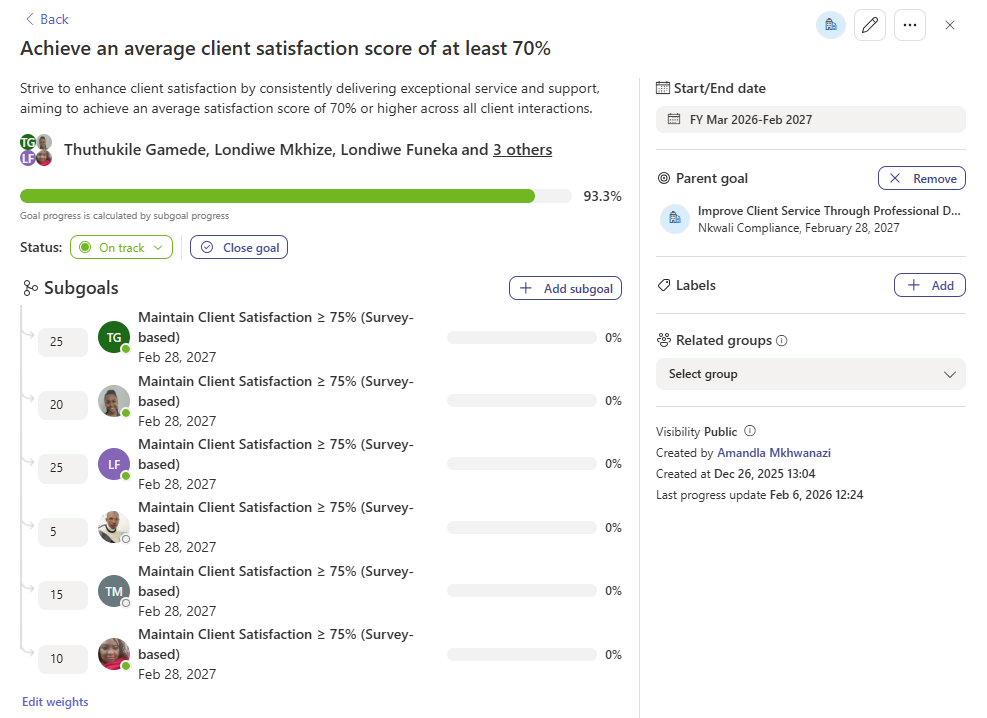
- Goal B: Achieve an average Client Satisfaction Score of at least 70% (survey-based)
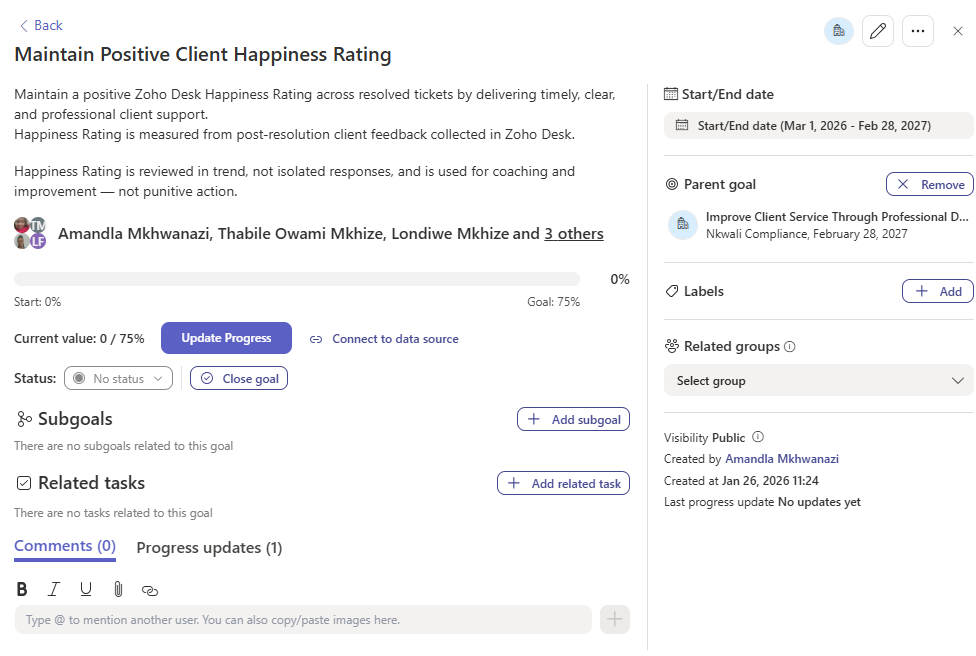
- Goal C: Maintain a positive Client Happiness Rating (Zoho Desk post-resolution feedback)
The measurement map: how one rep request flows into all three goals
This is the “cause and effect” chain you must understand.
1) You complete the rep request in Zoho
Rep Addition / Removal / Modification is processed and marked complete on our side (within 3 hours).
2) A case is created & closed
Each rep request creates a closed case automatically. This supports Case Closure Rate.
3) Client feedback & ratings are triggered
Closed work triggers a client survey/feedback. This drives Client Satisfaction and (when Desk is used) Happiness Rating.
- Accuracy + closure discipline → Case Closure Rate
- Client survey outcome → Client Satisfaction Score
- Desk ticket experience (e.g., “Rep added elsewhere”) → Client Happiness Rating
1) Where the Teamflect numbers come from (no manual updates) ›
These goals are linked to backend spreadsheets fed by system activity. The practical meaning is: your Zoho recordkeeping is the source of truth. If your statuses, closures, ownership fields, notes, and completion actions are correct, the measurement updates automatically.
What you don’t do: Manually “push progress” in Teamflect for these goals.
2) Goal A — 100% Case Closure Rate (Closed / Total) ›
This goal measures whether the team consistently closes work, instead of leaving cases open and unresolved. In rep work, this is supported by the system creating a closed case per rep request — but it still depends on correct linking, correct fields, and correct “logged by” attribution.
What improves Case Closure Rate
- Completing the rep request in Zoho within the 3-hour standard
- Ensuring the auto case is correctly attributed (edit case → select who logged the case)
- Ensuring no “stray” open cases are left behind for the same rep request
3) Goal B — Client Satisfaction Score (≥70%, survey-based) ›
When the rep request is completed and the case is closed, the client receives a survey to rate the service. That survey score feeds the Client Satisfaction goal. This is why “completion” is not just about finishing the admin — it’s about finishing with quality and clarity.
What typically improves client survey ratings
- Correct rep linked to the correct FSP (no “fix it please” follow-ups)
- Fast turnaround within 3 hours (clients feel taken care of)
- No missing evidence or steps that delay completion (e.g., DOFA upload, supervision checks, etc.)
- Clear completion email and no confusion about what was done
4) Goal C — Client Happiness Rating (Zoho Desk ratings) ›
This goal is driven by Zoho Desk feedback on resolved tickets. It becomes relevant when a rep request requires a Desk ticket — for example, “Rep Added Elsewhere” where we pause the process, request client instruction, and track the matter on Desk.
- Do they understand what is happening and why?
- Did we keep them updated while the ticket was on hold?
- Were our notes and instructions clear and consistent?
5) The “overwhelm rule”: what to do when volume is high ›
We handle many rep requests. The workload can be intense — but rep work is one area where we cannot afford “volume mistakes”. There have been instances where reps were added to the wrong FSP. That is exactly what this measurement system is trying to prevent.
- Pause and check before you submit or mark complete
- Ask the team leader for help early — don’t wait until it becomes a mistake
- Use a quick checklist: Rep identity, FSP identity, request type, required evidence, final confirmation
6) What not to do (to protect the measurement) ›
- Try to “fix” the Teamflect goals manually — they pull from backend spreadsheets
- Leave out the “who logged the case” step (incorrect attribution affects reporting)
- Close a workflow without confirming the correct rep + correct FSP + correct request type
- Assume “the system will catch it” — the system only reflects what we captured
Screenshots (how the goals look in Teamflect)
These are for understanding the measurement, not for manual updating.
Play & Learn (quick measurement check)
Choose the best answer based on how rep work affects Teamflect.
Scenario
You completed a rep addition within 3 hours. The system created a closed case. The client later rates the service low. Which goal is most directly impacted?
Scenario
You opened a Zoho Desk ticket for “Rep added elsewhere”, kept the client updated, and resolved the ticket professionally. Which goal can this improve?